What you need
- A ChatGPT plan that lets you add custom MCP servers. On a business workspace an admin may need to allow it.
- An email address. You create your Orisma account while you connect; you pay nothing until you submit the application.
Connect ChatGPT step by step
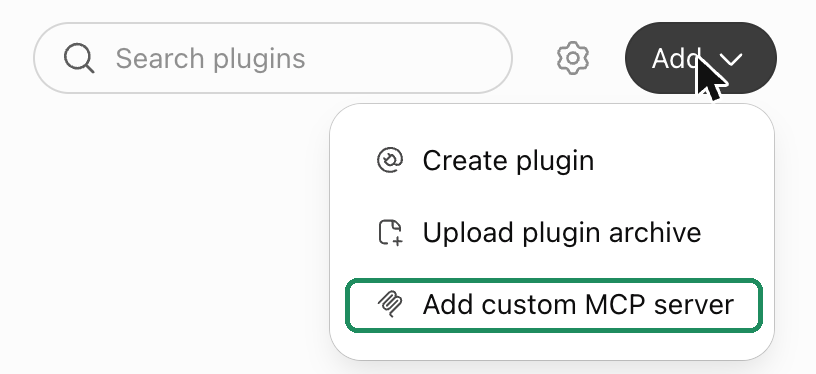
1. Open Plugins and add a custom MCP server. In ChatGPT go to Settings, then Plugins (or open chatgpt.com/plugins). Click Add, then Add custom MCP server.
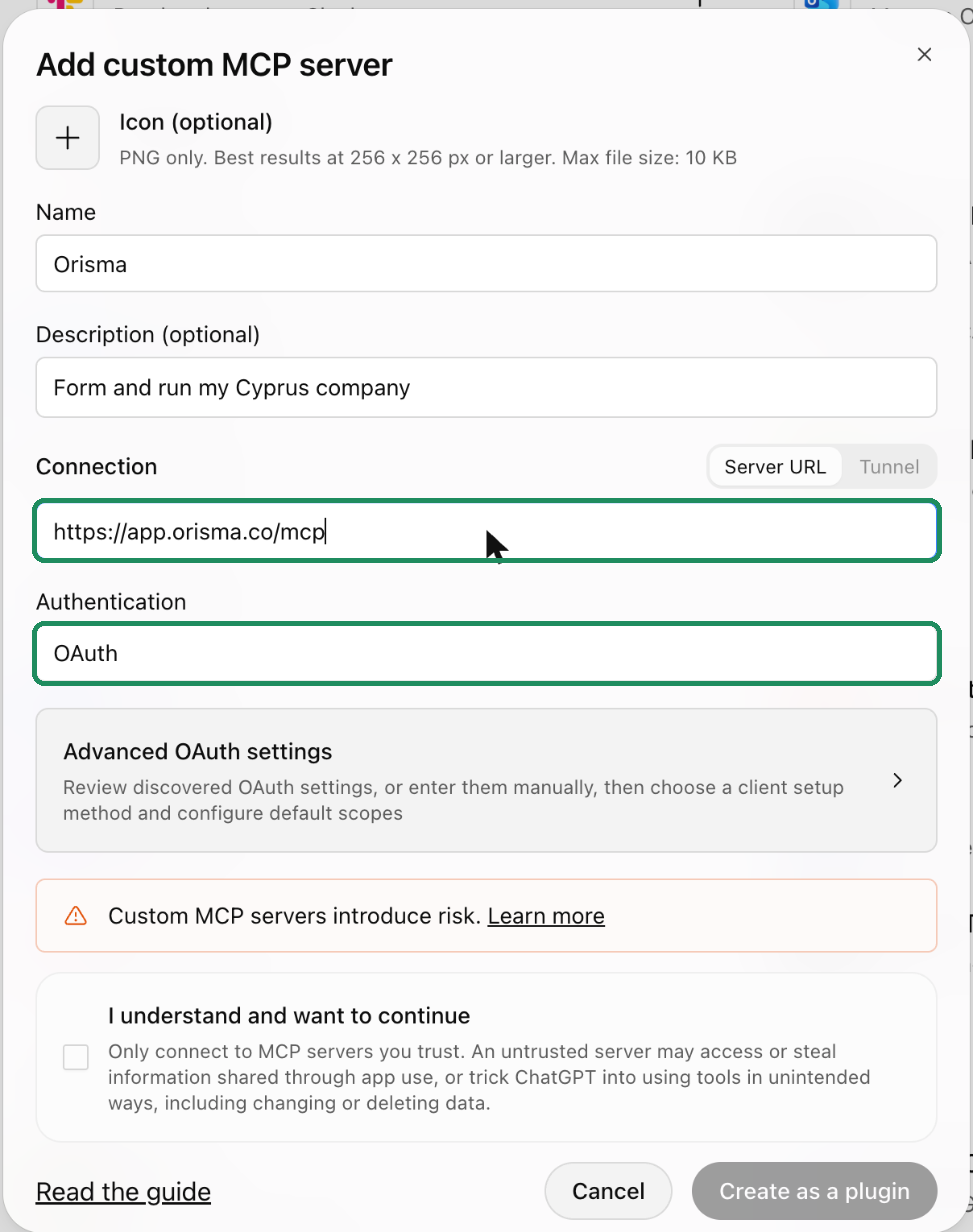
2. Fill in the form. Name: Orisma. Server URL: https://app.orisma.co/mcp. Leave Authentication on OAuth. Tick I understand and want to continue and click Create as a plugin.
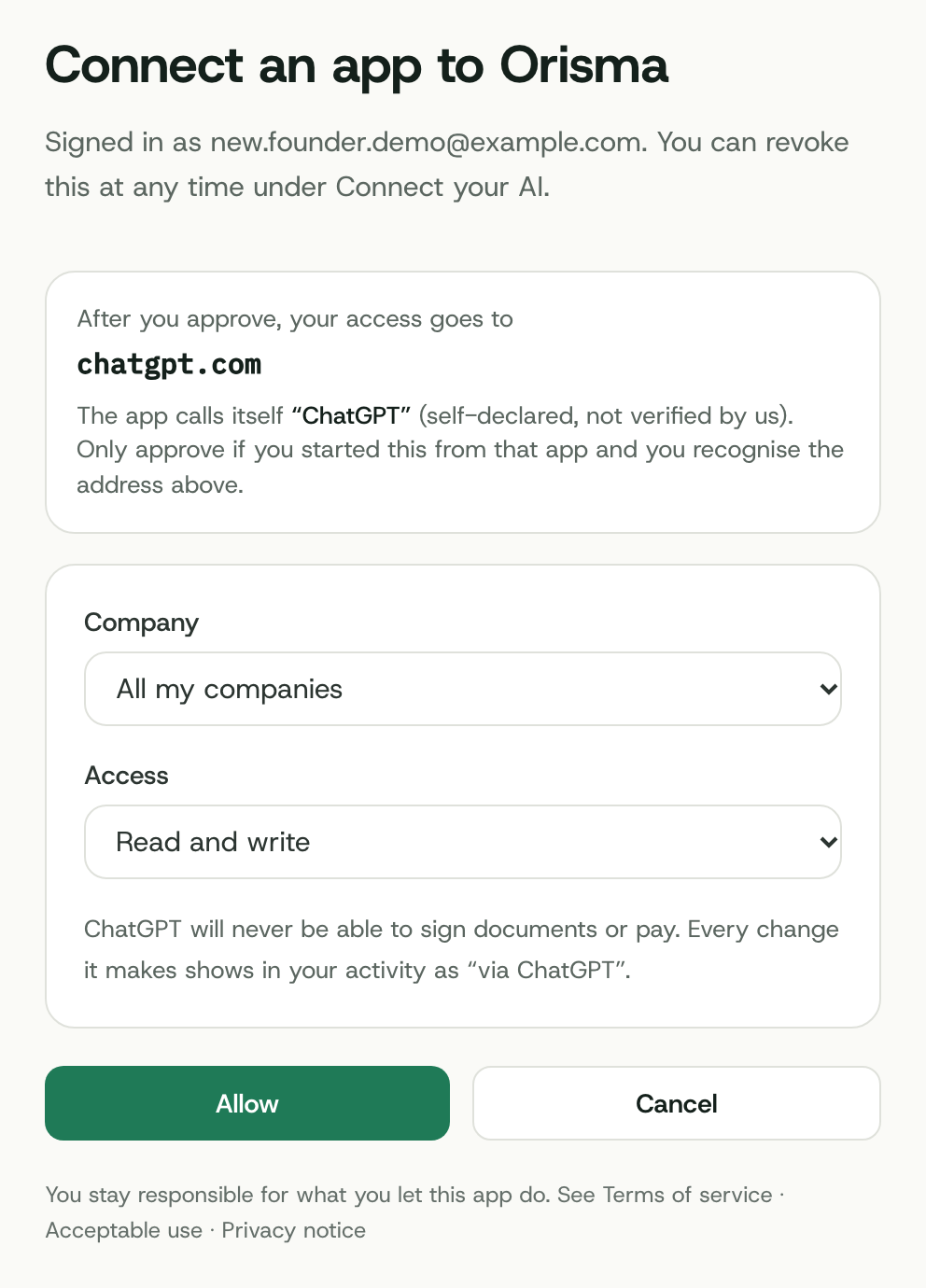
3. Sign in to Orisma and allow access. ChatGPT opens Orisma. Enter your email, open the sign-in link we send, then choose All my companies and Read and write and click Allow. To start a new company your AI needs both.
4. Start a chat. In a new chat, pick Orisma from the plus menu and write: "Help me form a Cyprus Ltd with Orisma."
Form the company in the chat
Start with: "Help me form a Cyprus Ltd with Orisma." ChatGPT then:
- asks for up to three name options and starts a draft
- asks about the activity, the expected turnover, the shareholders and their shares, the directors and the secretary
- explains why each answer is needed, for example why every director needs a residential address on file
- suggests the defaults where you have no preference, such as the share capital and the registered office
- shows the price of your current choices, excl. VAT
- gives you a review link once every section is complete
ChatGPT asks you to confirm each write, such as saving an answer or uploading a passport. You review the application, pay and sign in the app. The Standard package is EUR 1,390 excl. VAT, and the formation then takes about 15 to 20 working days.
After the formation
Keep the connector. The same chat can answer "what do you still need from me?", "when is my next filing due?" or "is there new mail for the company?", and it can upload documents into an open request.
Questions
Does it work in the ChatGPT app on my phone?
Plugins you add on chatgpt.com are available in the same account in the app. Add it on the web first; the Plugins settings are easiest there.
Is Orisma in the ChatGPT app directory?
Not yet. Until then you add it as a custom MCP server, as described above. It takes about two minutes.
Can ChatGPT pay or sign for me?
No. It gets a link for each payment or signature, and you complete it yourself in the app.
What if ChatGPT gets something wrong?
Orisma checks every answer it saves. Invalid values are rejected with the allowed values, and nothing is submitted until you review the application yourself.
More on keys and permissions: Use your own AI. Other assistants: Claude, Grok, Cursor, all options.