What you need
- A Grok plan with custom connectors. Check grok.com/connectors; custom connectors may need a paid plan.
- An email address. You create your Orisma account while you connect; you pay nothing until you submit the application.
Connect Grok step by step
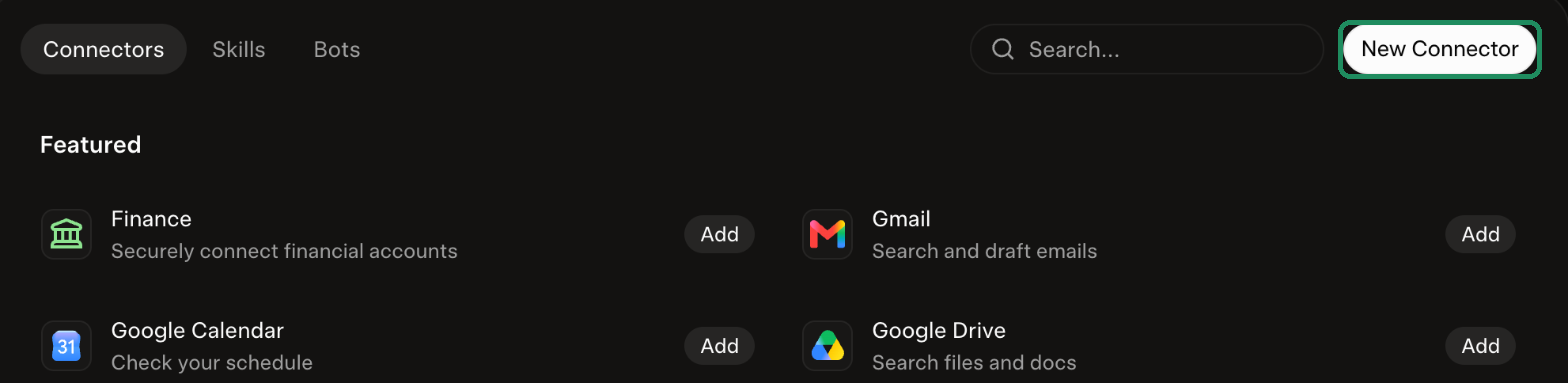
1. Open Connectors. Go to grok.com/connectors and click New Connector.
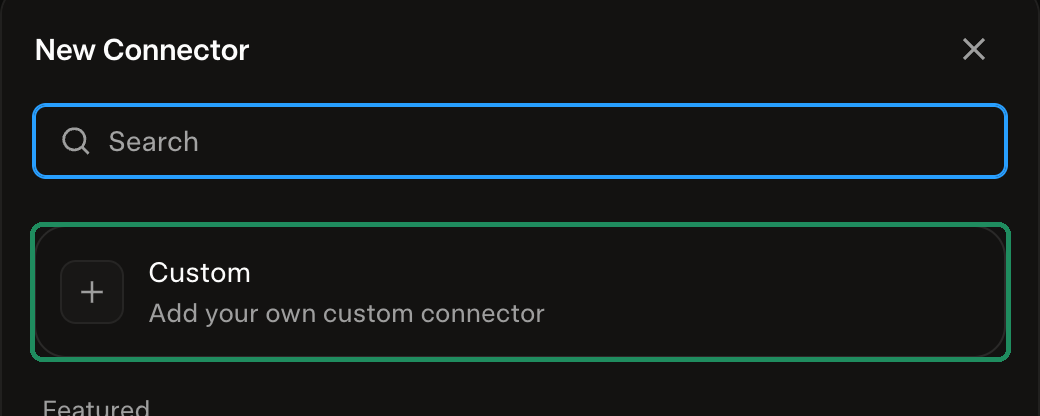
2. Choose Custom.
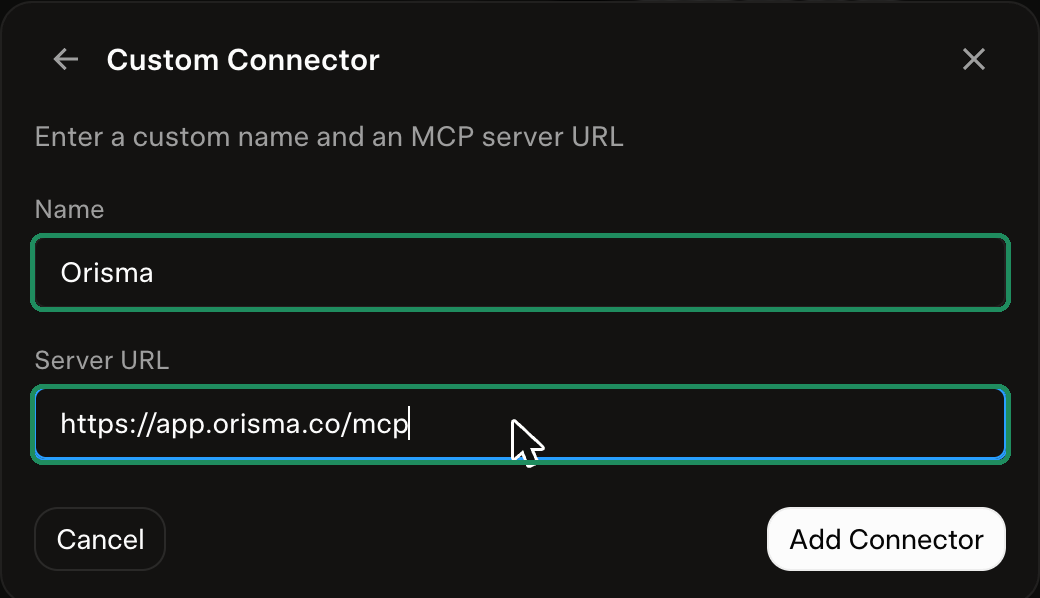
3. Name it and paste the address. Name: Orisma. Server URL: https://app.orisma.co/mcp. Click Add Connector.
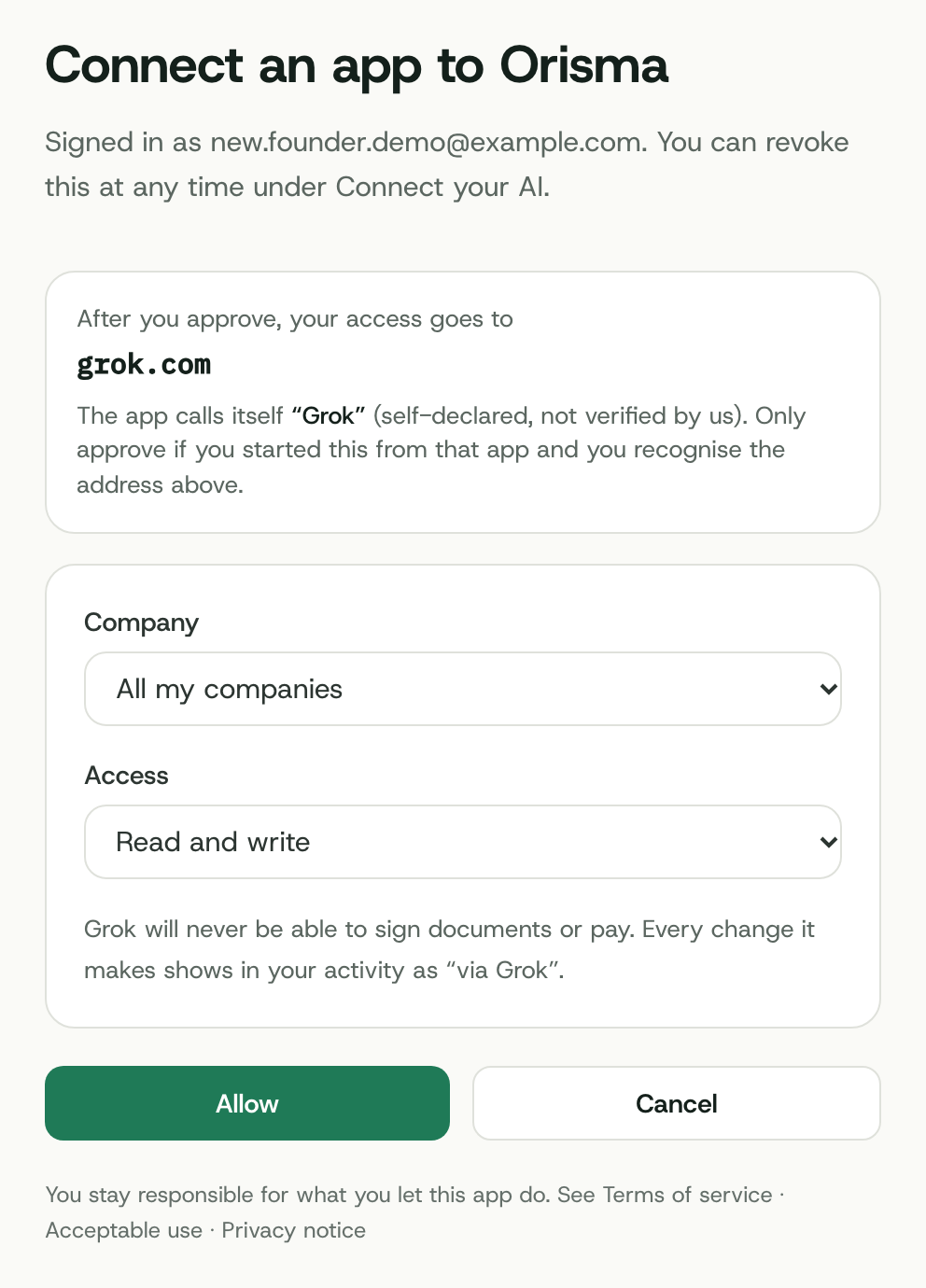
4. Sign in to Orisma and allow access. Enter your email, open the sign-in link we send, then choose All my companies and Read and write and click Allow. The page names the app that asks.
5. Start a chat. Switch Orisma on in a new chat and write: "Help me form a Cyprus Ltd with Orisma."
Form the company in the chat
Ask: "Help me form a Cyprus Ltd with Orisma." Grok then:
- starts a draft with up to three name options
- asks for the activity, turnover band, shareholders, directors, secretary, registered office and share capital, following the checklist Orisma sends back
- explains why each answer is needed
- shows the price of your current choices, excl. VAT
- gives you the review link once nothing is missing
You review the application, pay and sign in the app. The Standard package is EUR 1,390 excl. VAT, and the formation then takes about 15 to 20 working days.
Questions
Is Orisma in the Grok connector catalog?
Not yet. Until then you add it as a custom connector, as described above.
Can Grok sign or pay for me?
No. It gets a link for each signature or payment, and you complete it yourself.
Can I use the xAI API instead?
Yes. Developers can pass the Orisma MCP server to Grok through the xAI API with the same key. The REST API is described in your dashboard.
More on keys and permissions: Use your own AI. Other assistants: ChatGPT, Claude, Cursor, all options.